Host Group Availability Report
Introduction
This document provides a step-by-step guide to generate the Host Group Availability report using the specified template. Follow the instructions below to complete the process.
Step-by-Step Guide
Step 1: Choose a Report Template
- Report Name: Enter the name of the report.
- Template Name: Select the appropriate template name.
- Template Category: Choose the relevant template category.
- Press Next to proceed.
 Figure: Step 1 - Choose Report Template
Step 2: Define Parameters
- Host Group: Select the host group for the report.
- Select Month:Select the Moth you need
- Critical: Input the critical threshold values.
- Warning: Input the warning threshold values.
- Press Next to proceed.
 Figure: Step 2 - Define Parameters
Step 3: Execution Plan
- Execution Plan: Select the desired execution plan.
- Press Done to finalize the parameters.
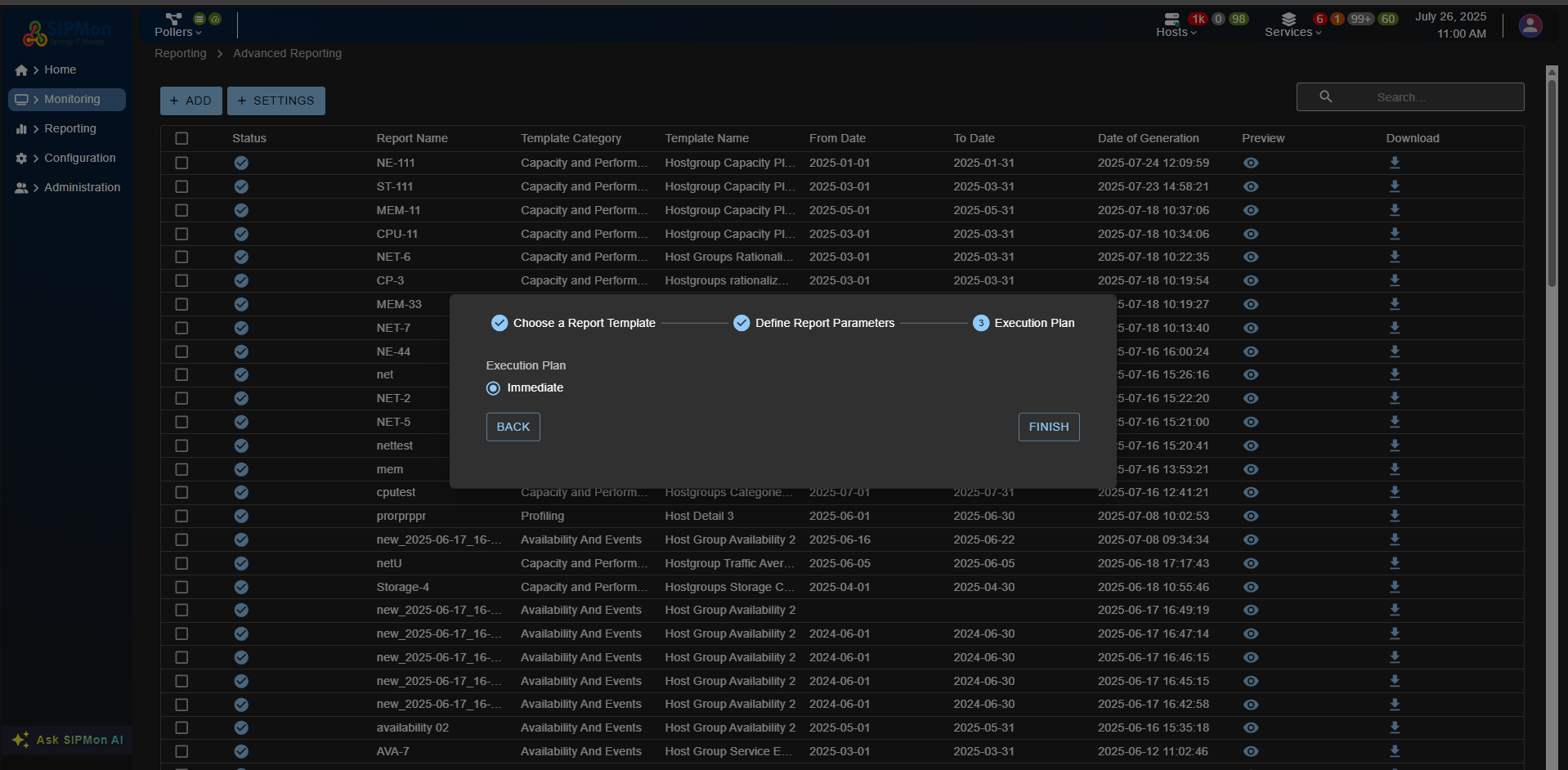 Figure: Step 3 - Execution Plan
Step 4: Save the Report
- Review the report details and parameters.
- Press Save to store the report configuration.
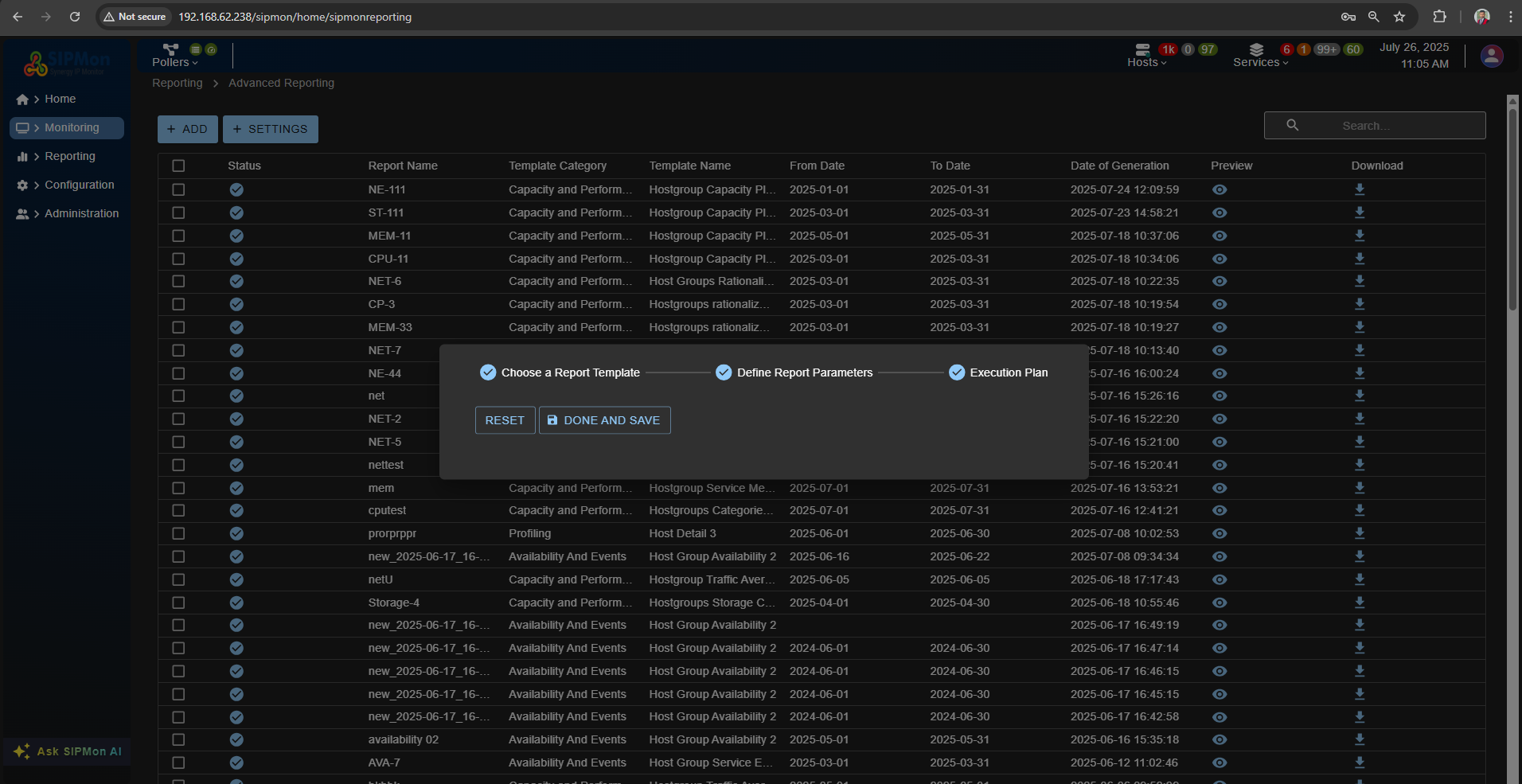 Figure: Step 4 - Save Report
Follow these steps to successfully create and save your Host Group Availability report.
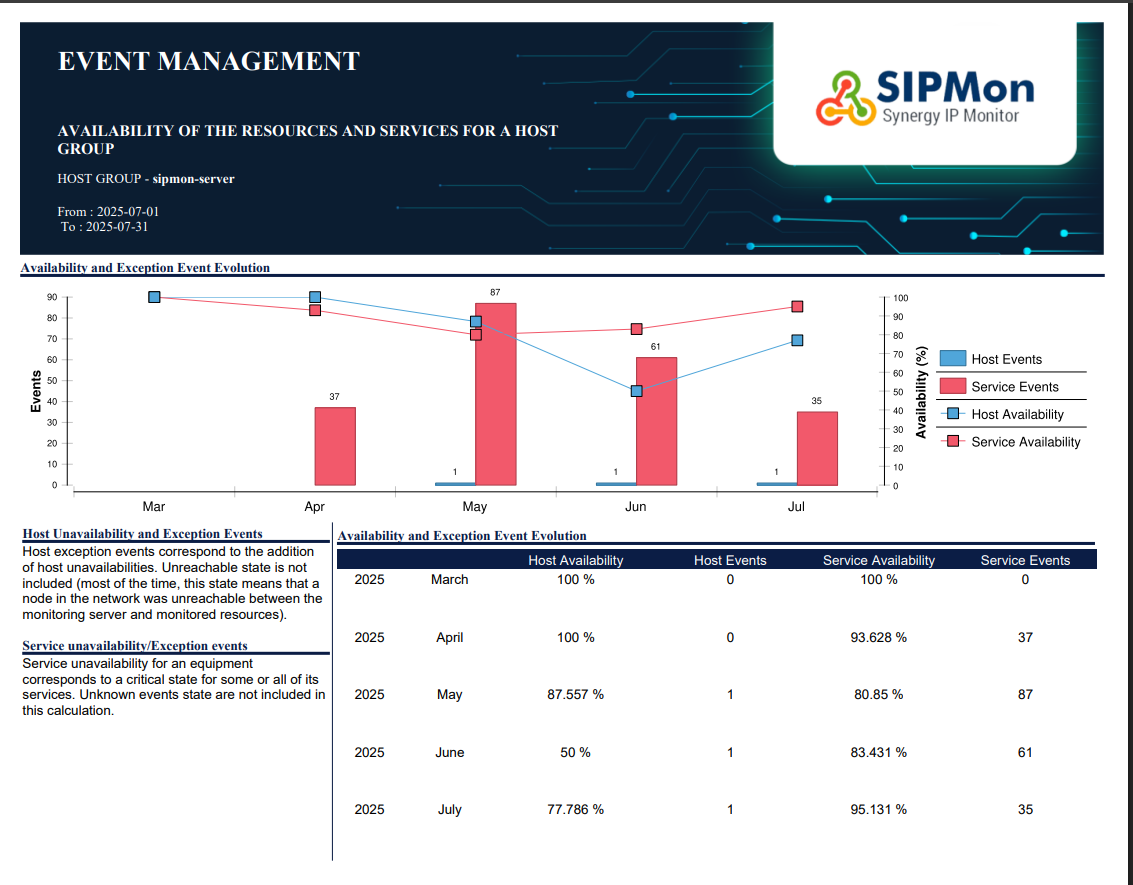 Figure: Final Report Output